
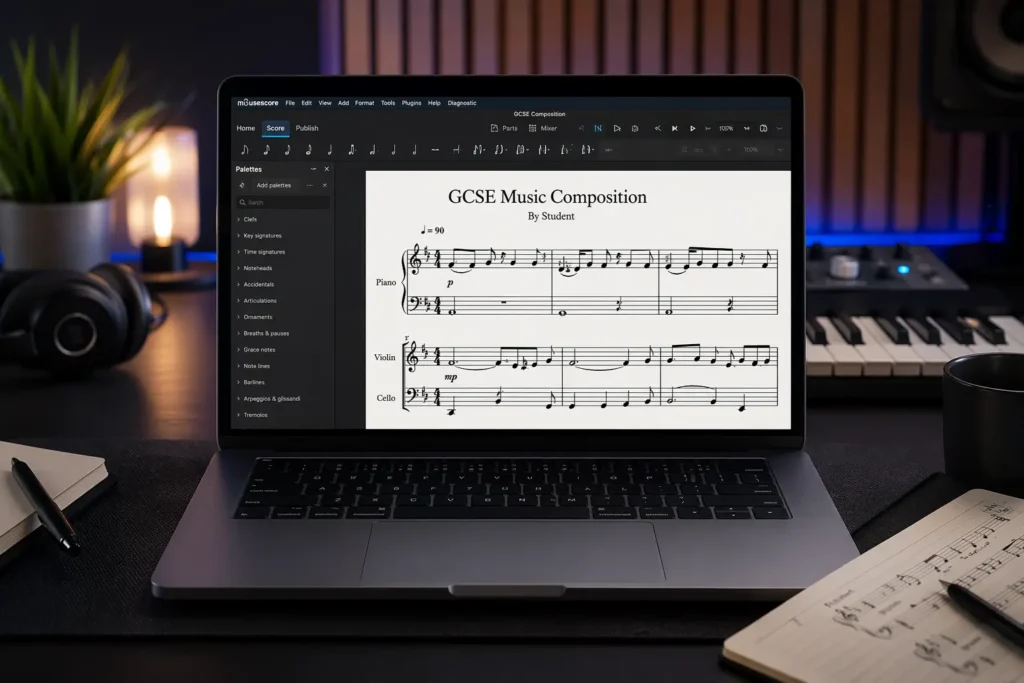
MuseScore GCSE Music Guide 2026: 5-Step Composition Workflow & Submission
MuseScore is widely used for GCSE Music composition because it allows students to produce fully notated scores that meet exam board requirements. In practice, the main difficulty is not the software itself, but structuring musical ideas into a coherent composition that demonstrates development, contrast, and control.
This guide is designed for GCSE music students and teachers who need a clear MuseScore composition workflow.
MuseScore GCSE Music Composition Workflow
GCSE composition is best approached as a structured process rather than a linear software task. Students typically move through five stages:
Step 1: Capture a simple musical idea
Step 2: Build that idea into clear phrases
Step 3: Create structure and contrast
Step 4: Refine and fix weak sections
Step 5: Present the composition clearly for submission
Stage 1: Define and Capture a Musical Idea
Strong compositions begin with a controlled, simple idea rather than complexity.
Use MuseScore to enter:
- a short melodic motif (2–4 bars)
- a chord progression
- or a rhythmic figure
Key considerations:
- Keep pitch range manageable
- Avoid random note entry
- Establish a clear tonal centre early
Troubleshooting:
- If the idea feels weak, reduce it to fewer notes
- If it sounds directionless, check for tonal focus (key clarity)
- If rhythm feels unstable, simplify durations
You can download MuseScore directly from the official website: https://musescore.org
Stage 2: Extend Ideas into Phrases and Patterns
The next step is to develop material into recognisable phrases.
In MuseScore:
- Repeat motifs with variation
- Adjust rhythm or pitch slightly
- Build 4–8 bar phrases
Key considerations:
- Use repetition to create identity
- Avoid constant change without reference to the original idea
- Maintain rhythmic consistency
Troubleshooting:
- If the music feels random, you are not repeating enough
- If it feels static, introduce small variation
- If phrasing feels unclear, group ideas into 2 or 4 bar units
Stage 3: Establish Structure and Contrast
Assessment criteria require clear structure and contrast.
Typical structures:
- ABA
- Binary (AB)
- Verse–chorus
In MuseScore:
- Create a second section with contrast Change one or more of:
- pitch range
- rhythm
- texture
- harmony
Key considerations:
- Contrast must be clear but related
- Sections should connect logically
- Avoid unrelated material
Troubleshooting:
- If sections feel disconnected, reuse elements from the first idea
- If contrast is weak, change texture or register
- If structure is unclear, label sections and review layout
Stage 4: Refine and Develop the Composition
This stage determines most marks.
Focus on:
- clarity of phrasing
- logical development
- consistency of rhythm
- connection between sections
In MuseScore:
- correct notation errors
- adjust rhythms for precision
- improve voice leading where relevant
- add dynamics and articulation
Troubleshooting:
- If the piece feels repetitive, vary rhythm or harmony
- If transitions are weak, simplify and connect ideas
- If the ending feels incomplete, reinforce tonal resolution
- If notation looks correct but sounds poor, review musical logic rather than software
Stage 5: Prepare and Present the Final Score
Your final score must be clear, readable, and properly formatted for assessment.
In MuseScore:
- export PDF for submission
- export audio if required
- check layout and spacing
- ensure correct instrument names
- verify bar alignment and page turns
Key considerations:
- avoid overcrowded notation
- maintain consistent formatting
- ensure all markings are clear
Troubleshooting:
- If the score looks cluttered, adjust spacing
- If playback differs from expectation, check note durations and ties
- If parts are unclear, simplify notation
Common MuseScore Issues in GCSE Coursework
Frequent problems:
- writing without a clear idea lack of structure inconsistent rhythm overcomplicated notation weak endings
Technical issues:
- incorrect note grouping
- missing rests
- unclear ties or phrasing
Resolution approach:
- simplify first, then rebuild
- prioritise clarity over complexity
- review each section independently
MuseScore Compared to Music Production Software
MuseScore is a notation tool designed for score presentation. It is not intended for realistic sound or production.
In contrast, software such as Logic Pro allows:
- MIDI editing
- realistic instrument playback
- layering and arrangement
Using both approaches can improve understanding, but GCSE assessment is based on notation clarity and musical structure.
music production lessons in Marbella.
GCSE Composition Support in Marbella
Lessons focus on:
- developing controlled musical ideas
- structuring compositions clearly
- improving notation accuracy
- understanding marking criteria
You can find full details here: GCSE piano lessons in Marbella.
If you need structured guidance with MuseScore and composition, support is available through focused, exam-aligned lessons.
GCSE Composition Marking Checklist (Examiner Focus)
GCSE compositions are assessed using specific criteria. Before submitting, check your work against these points to ensure it meets exam expectations.
Structure and coherence
- The composition has a clear structure (ABA, binary, verse–chorus, or similar)
- Sections are clearly defined and logically connected
- The piece has a clear beginning, middle, and ending
Development of ideas
- Musical ideas are repeated and developed, not just stated once
- Variations are introduced through rhythm, pitch, harmony, or texture
- Material is recognisable throughout the piece
Use of musical elements
- Melody has direction and shape
- Harmony supports the overall style
- Rhythm is consistent and intentional
- Texture is appropriate and controlled
Contrast
- There is clear contrast between sections
- Changes in dynamics, register, rhythm, or texture are used effectively
- Contrasting material still relates to the main idea
Notation and presentation
- Score is clearly written and easy to read
- Rhythms are correctly notated
- Dynamics and articulation are included where appropriate
- Instruments are labelled correctly
Overall musical control
- The composition sounds intentional rather than random
- Ideas are balanced and proportionate
- The ending is clear and resolved
If you are working with MuseScore and finding composition difficult, you can get direct, practical guidance here.